This article explains how you can get parameters for initialization from ASP.NET environment or from other Silverlight applications. Also you’ll learn how to create a Silverlight application which keeps its state between postbacks.
Silverlight + ASP.NET.
In this article I’d like to tell you about how we can get parameters for initialization from ASP.NET environment or from other Silverlight application. (silverlight application development services).
Silverlight application for ASP.NET environment is as “black box”. Now I’m trying to answer questions which all of us have in projects which contain not only Silverlight technology. “How can we initialize our Silverlight application” and of course “How can we get data in postback?”. Solution on first question was given to us by Microsoft – these are Silverlight parameters to initialization. When I have had second problem I found following solutions:
- asp:HiddenField
- AJAX
- WCF-services
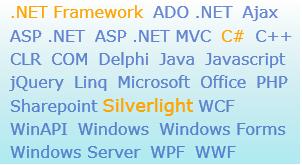
More careful study of this information showed that hidden field and WCF-services are best variants. Let’s implement first variant. ASP.NET 3.5 has excellent facilities for this. It’s – API of HTML Bridge which gives good possibilities for working with model of web page. I developed simple Silverlight application. There are cloud tags. Users can select or deselects tags. Selected tag has other color.
But now my application doesn’t have any interactions with server side. Please select few tags and make postback… Yes, all selected tags are unselected now. Of course we’d like to have other behavior. Let’s try to change it. I added asp:hiddenfield control on page with Silverlight object.
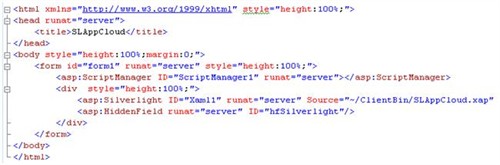
Then we send our parameter (id of hidden field) to the Silverlight application (for few parameters we have to use “,”).
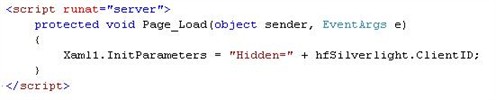
Then we get that parameter in our Silverlight application. There is StartupEventArgs object with our parameters as a dictionary in Applcation_Startup method.

And now we get that parameter in MainPage class.
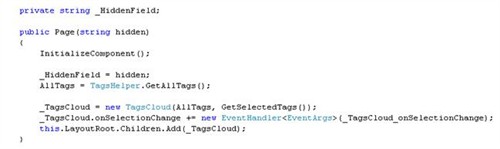
Finally we’ll use HTML bridge. On selected event we’ll add id’s of selected tags to the hiddenfield as value.
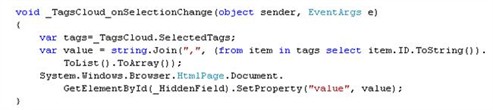
And of course we should add a method which gets data from parameters on creating MainPage.

As you can see, it’s really simple. And we got that desirable behavior!
(You can download source code here)
It’s good but not really effective. This code can be improved by introducing asynchronous work.
We can make it by using web-services since Silverlight 2 support these technologies. IMHO WCF-services is best choice for that task because this type of services work faster than other and these services are more flexible to configure through attributes. So I added new interface in project.
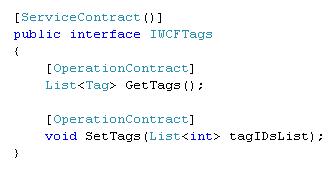
All class which will implement that interface can be used as WCF-service because of attributes. We should add service reference for our WCF-service in Silverlight application. Visual studio automatically creates proxy-class for that reference. Of course we should create and start host for using WCF-services in our project. NOTE: Silverlight doesn’t support WSHttpBinding, so we should use BasicHttpBinding.
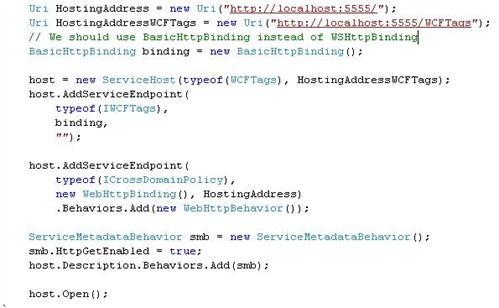
Than we should change Page ctor.
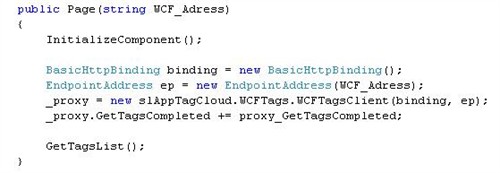
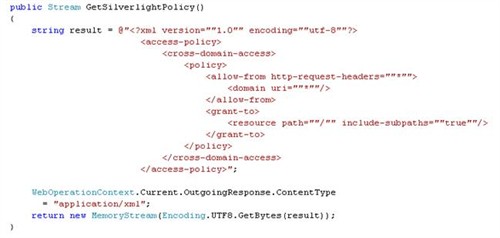
As we see Visual Studio created asynchronous wrappers because Silverlight works with services only asynchronously. But when we try to run application now, we get error because Silverlight isn’t allowed to contact with services on other domains if those services don’t have policy files. It’s cross-domain access. So I added new interface for our WCF-service…

... and develop method which gives client access policy file. Don’t forget to add it to the host.
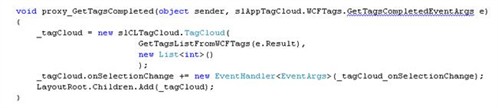
Then we should only add handler for asynchronous wrapper:
Artyom G, .NET team,
Binary Studio


